
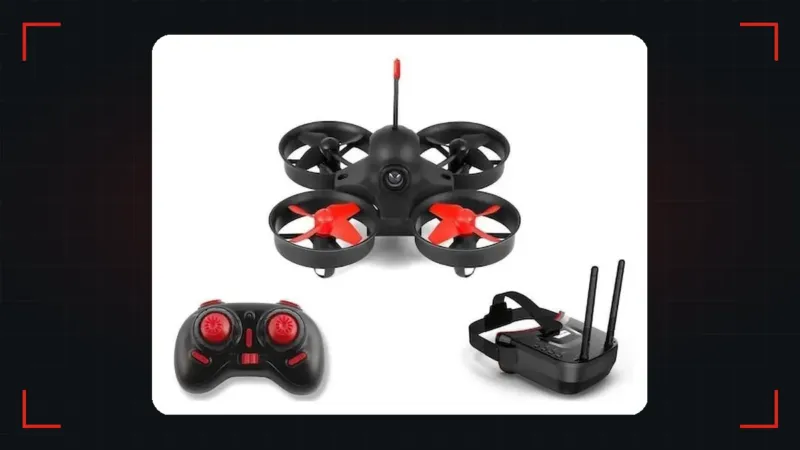
An FPV drone kit is the most direct way to get started in this hobby: in a single box you receive what you need to fly, without having to check whether each part fits the others. But not all kits include the same things, and two similar-looking boxes can give you very different experiences.
In this guide we look at what an FPV drone kit includes, which types exist, how to compare video, batteries and radio, and how to choose yours in 5 steps. We also tell you what to do when it arrives and when you are better off buying the parts separately.
What an FPV drone kit is
An FPV drone kit is a package designed so you can start flying with the least research. It brings together the drone and the gear you would normally buy separately. The manufacturer has already chosen parts that work together, which saves you the step that causes most mistakes among beginners.
The word kit, however, is used for very different things. Sometimes it means a complete set ready to take out of the box. Other times it means a set of parts you have to assemble and solder. That is why the first thing to do is read the contents list calmly, not just look at the photo in the ad.
What a complete FPV drone kit includes
A complete FPV drone kit should include six things: the drone, the radio, the goggles, the batteries, the charger and spare props. If anything is missing, you will have to add it to the price. Let us see what to look for in each.
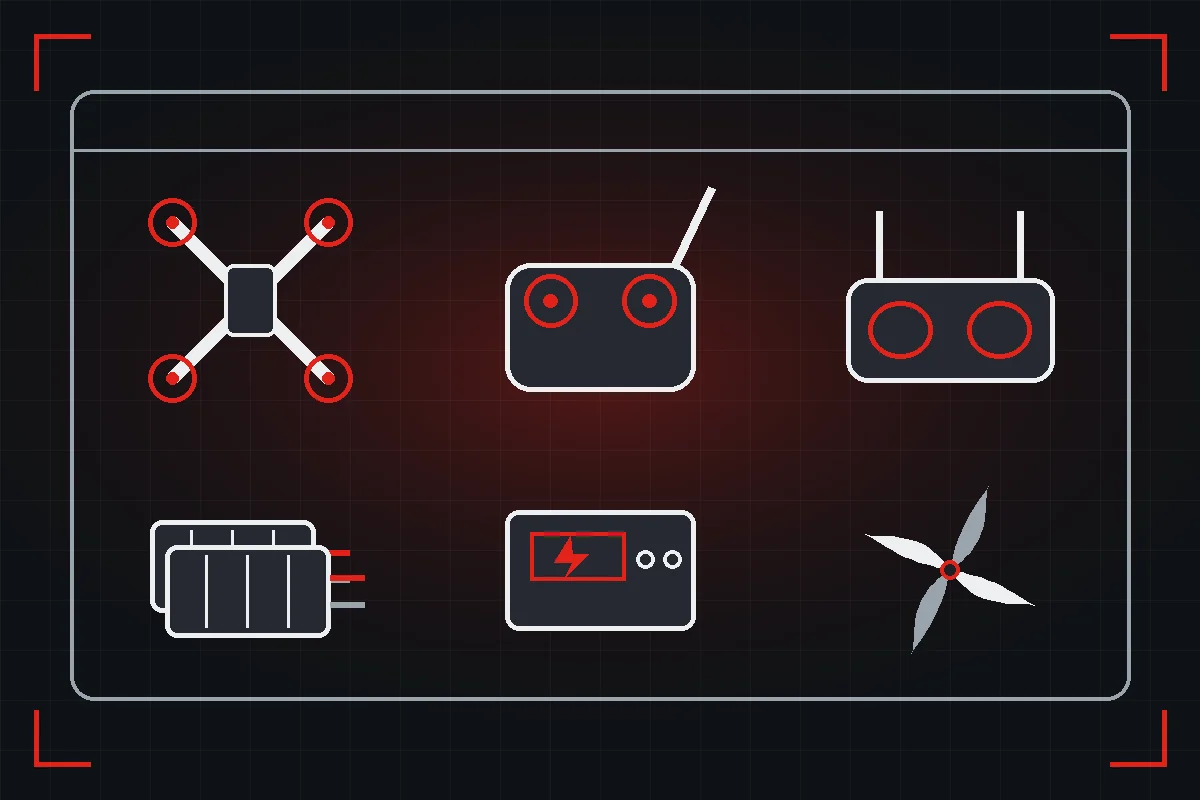
The drone
Look at the size and the type of motor. Most starter kits include a small drone with ducted props, because it is safe and takes crashes well. Check whether the motors are brushed or brushless: the former are cheap and good for learning at home, and the latter have more power and last much longer.
The radio
This is the part you will keep using for longest. Some kit radios only work with the drone they come with, while others also work with other drones and with a simulator. Before choosing, check whether the FPV drone kit includes a radio with an open protocol such as ExpressLRS, and whether it can connect to a computer for practice.
The goggles
Kit goggles are usually simple: a screen in a box, with one or two antennas. They do the job for getting started. Check whether they are comfortable, whether they have their own battery and whether they receive the usual 5.8 GHz bands, because then they will also work with other analogue drones. If you wear glasses, make sure they fit underneath.
Batteries and charger
Many kits come with just one battery, which soon falls short. Each one gives a few minutes of flight and then takes quite a while to charge. Check how many are included, whether you can buy more and which connector they use. A charger that can charge several at once will make your sessions much longer.
Props and extras
Spare props, a small tool for changing them and a clear manual are details worth more than they seem. Some kits also include a carrying bag. If yours has no spare props, order them at the same time, because they will be the first thing you break.
Types of FPV drone kit
Although each brand names them differently, almost all fit into one of these three groups. Knowing which one you are looking at avoids a lot of disappointment.
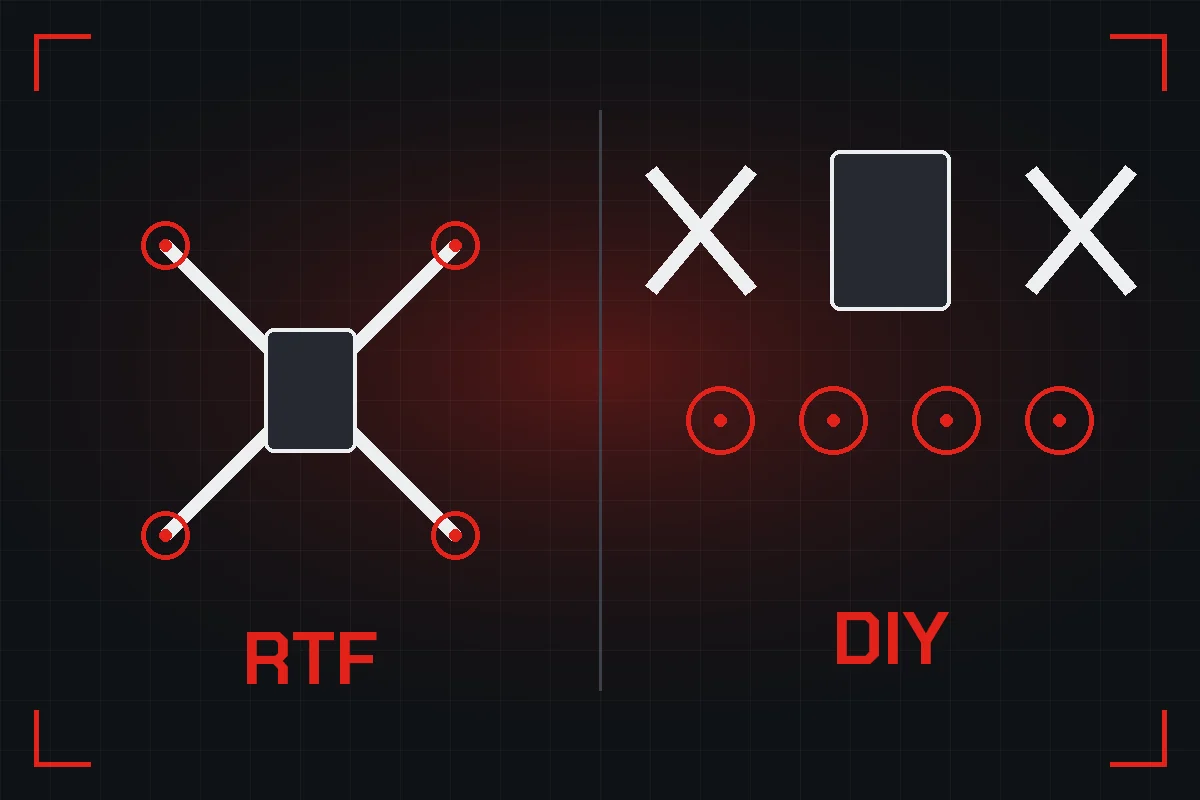
Ready-to-fly starter kit
This is the simplest option. You charge the battery, switch on and fly. It usually comes with a small indoor drone and all the basic gear. It is ideal if you want to find out whether you like this before spending more. Its limit lies in the power, and in that some of the gear may fall short as you progress.
Higher-end FPV drone kit
Some manufacturers sell sets with a better drone, an open radio and more capable goggles. They cost more, but much of the gear will last you for years. If you already know FPV interests you, an FPV drone kit of this type can work out better than starting with a basic one and replacing everything a few months later.
Build-it-yourself kit
Here you buy the drone parts, but the assembly is up to you. It usually includes frame, motors, electronics and camera, and almost never radio, goggles or batteries. You need a soldering iron and some patience. In exchange you learn how everything works, which makes any future repair much easier.
Analogue or digital in your FPV drone kit
The type of video is what most changes what you see from the drone. The most affordable kits use analogue video, with a more modest image of about 480 lines and very little delay. Digital systems offer a much sharper image, usually 720p or 1080p, but they make the drone and goggles more expensive.
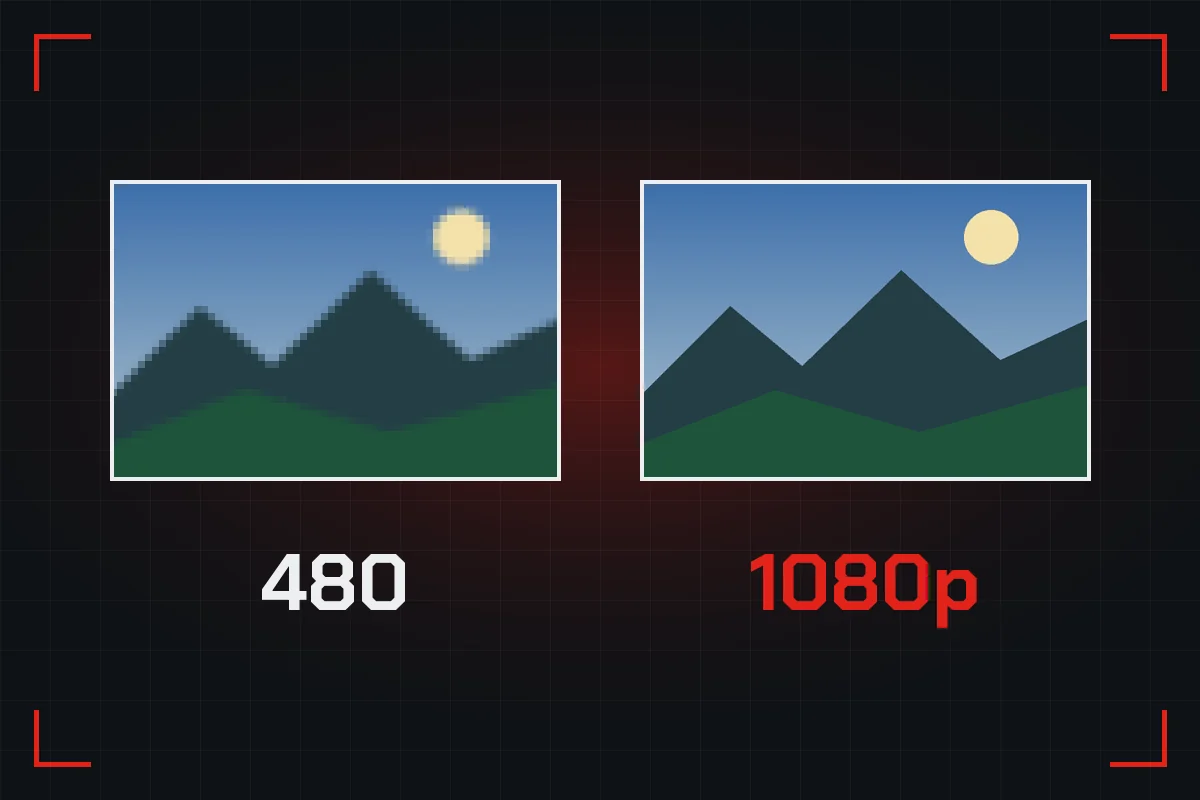
There is one important detail: analogue and digital goggles are not usually compatible with each other without modules or accessories. If you choose one system, your next drones should use the same one. That is why it is worth deciding early, even if you start with the simplest option. For learning, analogue does the job without any trouble.
Batteries: what 1S, 2S or 4S mean
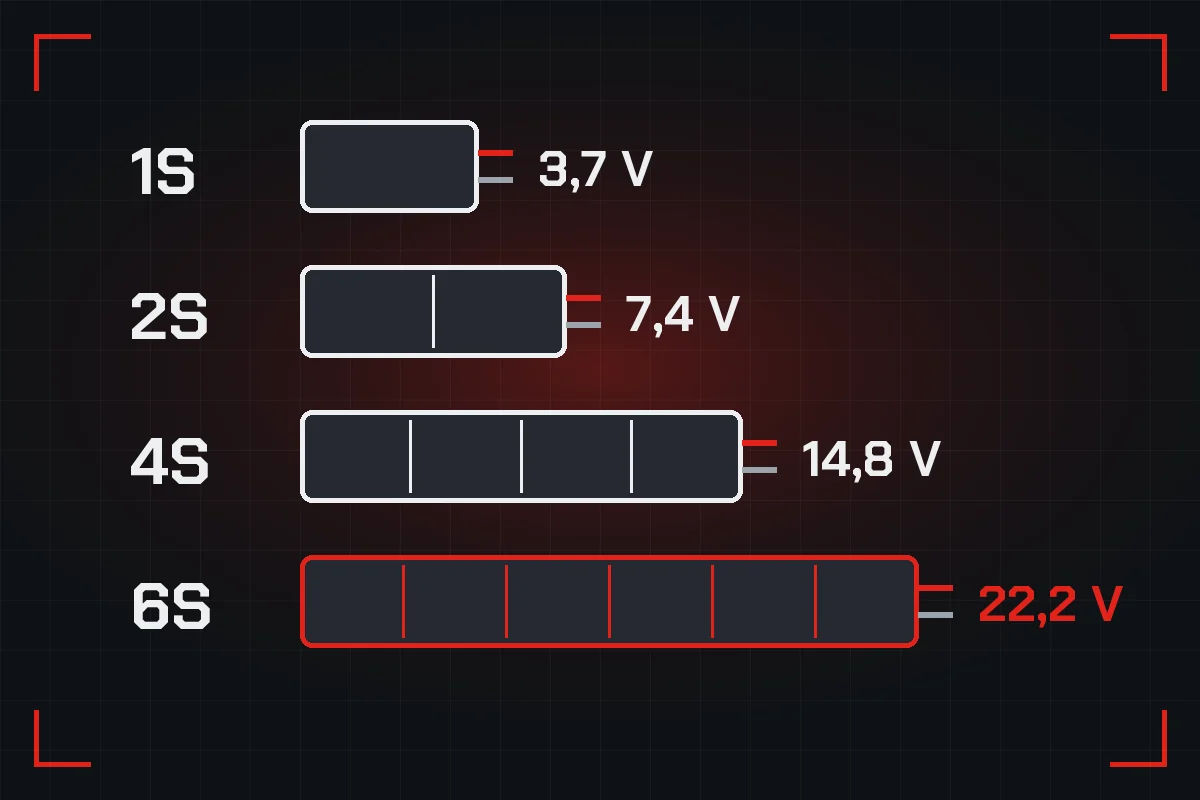
The S tells you how many cells the battery has connected in series. Each LiPo cell has a nominal 3.7 V, so a 1S gives 3.7 V, a 2S gives 7.4 V, a 4S gives 14.8 V and a 6S gives 22.2 V. More cells mean more power, and also more energy at stake when something goes wrong.
In a starter FPV drone kit you will normally find 1S or 2S batteries. They are small, easy to charge and far less dangerous than big ones. Never connect a battery with more cells than the drone accepts, because you can burn out the electronics as soon as you plug it in.
5 steps to choose your FPV drone kit
With all of that you can now compare with good judgement. Follow these five steps in order, because each one rules out options and makes the next one easier.
1. Decide where you will fly
If you are mainly going to fly at home, look for a small drone with prop protection. If you have access to an open field, you can look at slightly larger drones with brushless motors. The place decides the size, and the size decides almost everything else about the FPV drone kit you are going to buy.
2. Check the actual contents
Go through the list of what is in the box one by one: drone, radio, goggles, batteries, charger and props. Photos can show accessories that are not included. Add whatever is missing to the price, and only then compare with another kit. That way you will see which one really costs less.
3. See whether the radio has a future
Ask yourself whether that radio will be able to control your next drone and whether it works with a simulator. If the answer is no, bear in mind that you will need to buy another in a few months. A radio with an open protocol usually justifies paying a little more for the FPV drone kit.
4. Work out your flying time
Multiply the batteries by the minutes each one gives. If the result is five minutes per session, you will spend more time waiting than flying. See how much it costs to add two or three more batteries and whether the charger can handle several at once. It is one of the cheapest upgrades you can make.
5. Check spares and support
Before paying, find out whether props, motors and batteries exist for that model. An FPV drone kit without spares can be written off by one small part. Also see whether there is a manual in a language you understand and whether other people use it, because questions get solved much faster when there is a community.
FPV drone kit or separate parts
A kit is not always the best buy. If you already have a radio or goggles, you would be paying for something twice. And if you know what you want, choosing each part gives you gear better suited to you. This table helps you decide according to your situation.
| Your situation | Best choice | Why |
|---|---|---|
| You are starting from zero | Ready-to-fly kit | Everything works together from day one |
| You want to try at low cost | Indoor kit | You fly at home and break little |
| You already know you like it | Higher-end kit | The gear lasts you longer |
| You already have radio and goggles | Drone without radio | You do not pay for what you own |
| You want to learn to repair | Separate parts | You choose each part and understand the drone |
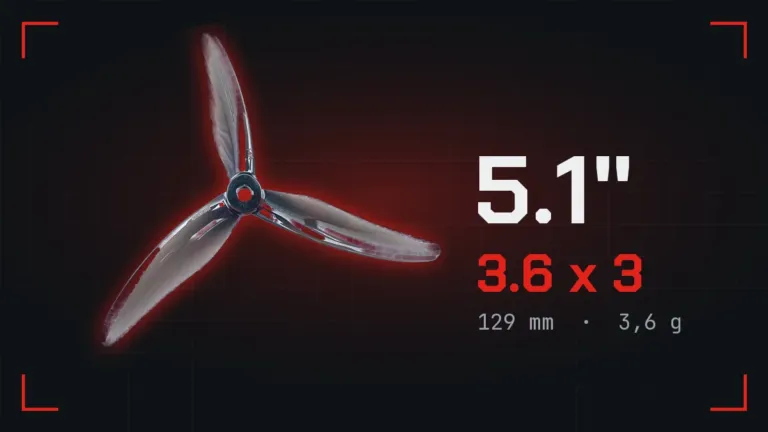
If you decide on separate parts, our FPV Configurator checks what fits with what before you buy. And if you want to understand each decision better, our guides to FPV frames and 5-inch props explain the two choices that shape a build the most.
What to do when your FPV drone kit arrives
It is tempting to take it out and fly within five minutes, but a few simple steps prevent trouble in the first session. Do them calmly and keep the manual handy.
Charge the batteries under supervision
Use the kit charger and stay nearby while it charges. Check that the battery is not swollen or damaged, and charge on a non-flammable surface. If the battery gets very hot or changes shape, disconnect it and do not use it.
Check link, video and props
Turn on the radio first and then the drone. Check that the radio controls the motors and that the image reaches the goggles. Remove the props for any bench test, and when you fit them check that each goes on the right motor, because the direction of rotation matters. If your drone uses Betaflight, also check the modes.
Start in stable mode with plenty of room
Many kit drones have a mode that levels the drone by itself. Use it on the first day to get used to the controls, in a clear space away from people and animals. Then move on to acro mode little by little, ideally with the help of a simulator. Land when the battery drops below the recommended level, because over-discharging ruins it.
How to look after your FPV drone kit so it lasts
A small FPV drone kit needs little maintenance, but a few simple habits extend its life a lot and prevent silly faults. Most take no more than a minute after each session.
Check props and motors
After a crash, see whether any prop is bent or chipped and replace it even if the damage looks small. A bent prop causes vibrations and makes the drone fly worse. Remove the hairs and fibres that wrap around the shafts, because at home they build up quickly and slow the motors down.
Store the batteries properly
Do not leave batteries fully charged or fully empty for days. Keep them in a cool, dry place inside a fireproof bag, and always disconnect them from the drone. If one swells, stop using it. They are the part of the FPV drone kit that wears out first, and looking after them saves you money.
Carry it well protected
A small drone looks tough, but in a backpack any object can bend an antenna, break a camera mount or crush a duct. Use the original box or a bag with dividers, and carry the batteries separately in their fireproof bag. Keep the spare props and the tool in the same place too, so you do not find out in the field that they stayed at home.
What to buy after your FPV drone kit
When the kit drone becomes too small for you, you do not have to start from scratch. See which part of the gear you can keep and spend only on what really limits you. If the radio is open, the next step is usually a larger drone. If the goggles are no longer enough, change them first, because they are what you have in front of your eyes on every flight.
Quick checklist before buying your FPV drone kit
Before paying, check these points. It takes two minutes and saves you ordering what was missing later on.
- The box includes drone, radio, goggles, batteries and charger.
- The drone size suits the place where you will fly.
- You know whether the motors are brushed or brushless.
- The radio works with other drones or with a simulator.
- You can buy more batteries and props for that model.
- You are clear whether the video is analogue or digital.
- You have counted a fireproof bag for storing the batteries.
Common mistakes when buying an FPV drone kit
Looking only at the price of the box
A cheap kit with one battery, no spares and a radio that is good for nothing else can cost more in the long run than a slightly dearer one. Compare what you will still have in a year, not just what you pay today.
Buying more drone than you can handle
A kit with a fast, powerful drone is impressive, but without practice it means crashes and repairs. A small drone lets you fly more hours and learn better. The time to go bigger will come.
Forgetting that drones have rules too
Coming in a starter box does not make it a toy without rules. Before flying outside your home, check which rules apply to your case and review the flying zones, especially if the drone has a camera.
Frequently asked questions about FPV drone kits
Is an FPV drone kit really good for learning?
Yes. You learn to orient yourself, control height and fly from the camera. What you practise on a small drone will serve you later on any other.
Can I use the kit radio with another drone?
It depends on the protocol. If it is open and the other drone has a compatible receiver, yes. If the radio is specific to that drone, usually not.
How long does a kit drone fly?
It is usually between three and eight minutes per battery, depending on the model and how you fly. Check the manufacturer figure and allow some margin.
Do I need to solder to use an FPV drone kit?
With a ready-to-fly kit, no. With a kit to build, almost always yes. Read the description carefully before buying.
What should I upgrade first?
More batteries and then a better radio. Those are the upgrades you will notice most, and the radio will work with all your drones.
Start flying
A good FPV drone kit takes away the compatibility worries and gets you flying sooner. Read what it really includes, think about the radio and work out your flying time. Do that, and your first box will be the start of the hobby and not a purchase left in a drawer. If you are unsure what a particular model includes, ask us before buying and we will help you choose.
Leave a comment